 Peki
Connections and skills
Plug your agents into the tools you use.
Peki speaks MCP, the open standard that lets an AI use other apps, and reads Agent Skills. Each agent gets only the connections and skills you turn on for it.
Popular connections, one click.
Pick a service, sign in in your browser and choose which agents may use it. Or add any MCP server yourself.
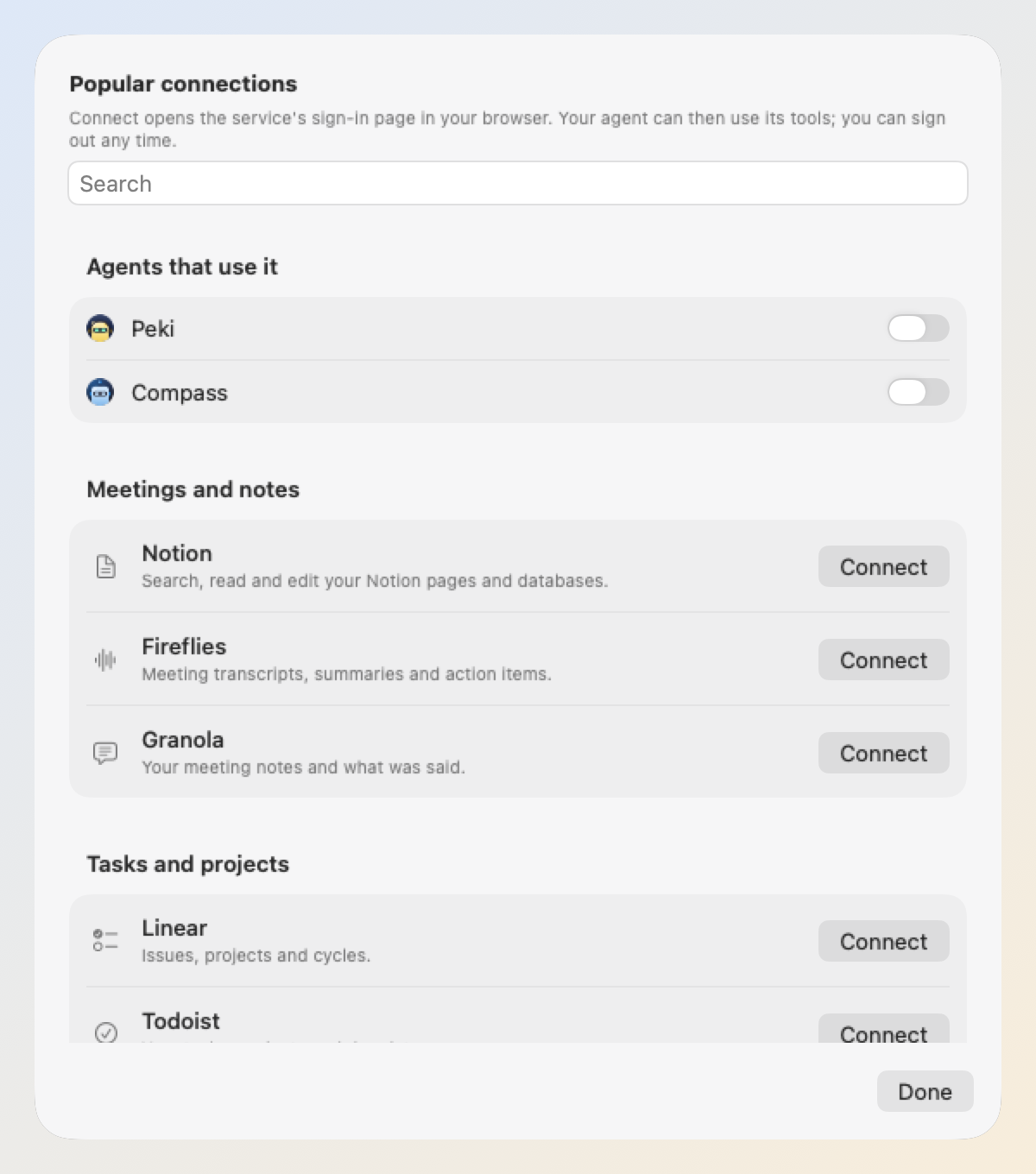
Sign in with your browser
Connect opens the service's own sign-in page. The sign-in is kept in your Keychain; sign out anytime.
Any MCP server
Paste a server's address and an access key if it needs one, or paste the mcpServers JSON from its README.
Servers on this Mac
A local server runs the command you enter, right on this Mac.
Per agent
Turn a connection on only for the agents that need it. The agent's header shows how many it has.
It knows what's missing
If a connection is added but off for that agent, or can't connect, the agent tells you where to turn it on.
Every tool labelled
Each tool is marked Reads or Changes, so you know which ones will ask first.
Product names belong to their owners. Peki isn't affiliated with these services; each connection uses the service's own MCP server.
It asks before it acts.
Tools that only read run on their own. Anything that changes something waits for your OK, right in the chat.
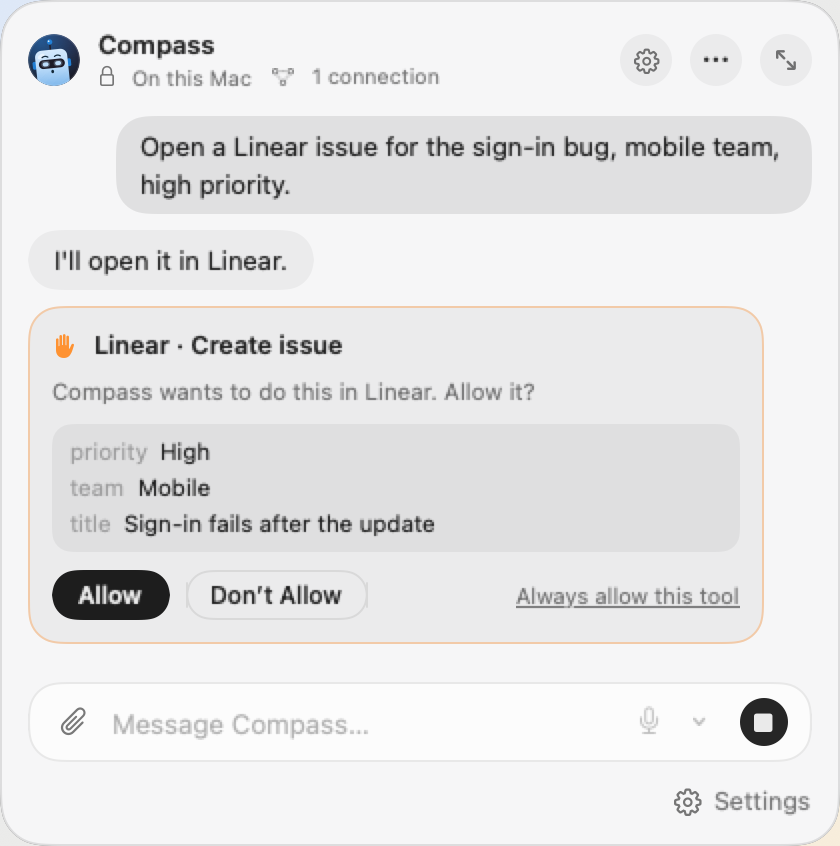
See what it will send
The card shows the connection, the tool and the details the agent wants to send.
Once or always
Allow, Don't Allow, or always allow that tool for this agent. Your answer stays in the chat as a chip.
Your rule per connection
Ask before tools that change something (the default), before every tool, or never.
Jobs don't act behind your back
A scheduled job runs while you're away, so it skips tools that need your OK unless you allowed them for that job.
Assigned jobs ask you
A job you hand over right now asks just like the chat, and a notification brings you back.
All permissions in one window
See every connection's tools, which ones ask and which jobs may skip asking.
Skills: your way of working, in a file.
A skill is a short set of directions for one kind of task, in the open Agent Skills format. Write one in Peki or import a SKILL.md.
├ SKILL.md
├ references/people.md
└ references/glossary.md
---
name: meeting-digest
description: How I like meeting digests. Use when summarizing meetings.
---
# Meeting digest
1. Start with the decisions, one line each.
2. Then my action items as tasks: “- [ ] … tomorrow 10:00”.
3. Use first names from references/people.md.
4. Skip status updates nobody acted on.
Read when needed
The agent sees each skill's name and description, and reads the rest only when a task calls for it.
The whole folder comes along
Text files next to SKILL.md, like a glossary or a template, can be read too.
Import or write
Import a SKILL.md file or folder, or write a new skill in the agent's editor.
Nothing runs
Scripts in a skill folder don't run. A skill is directions, not code.
The web, when you want it.
Turn on search and page reading per agent. Like connections and skills, it stays off until you do.
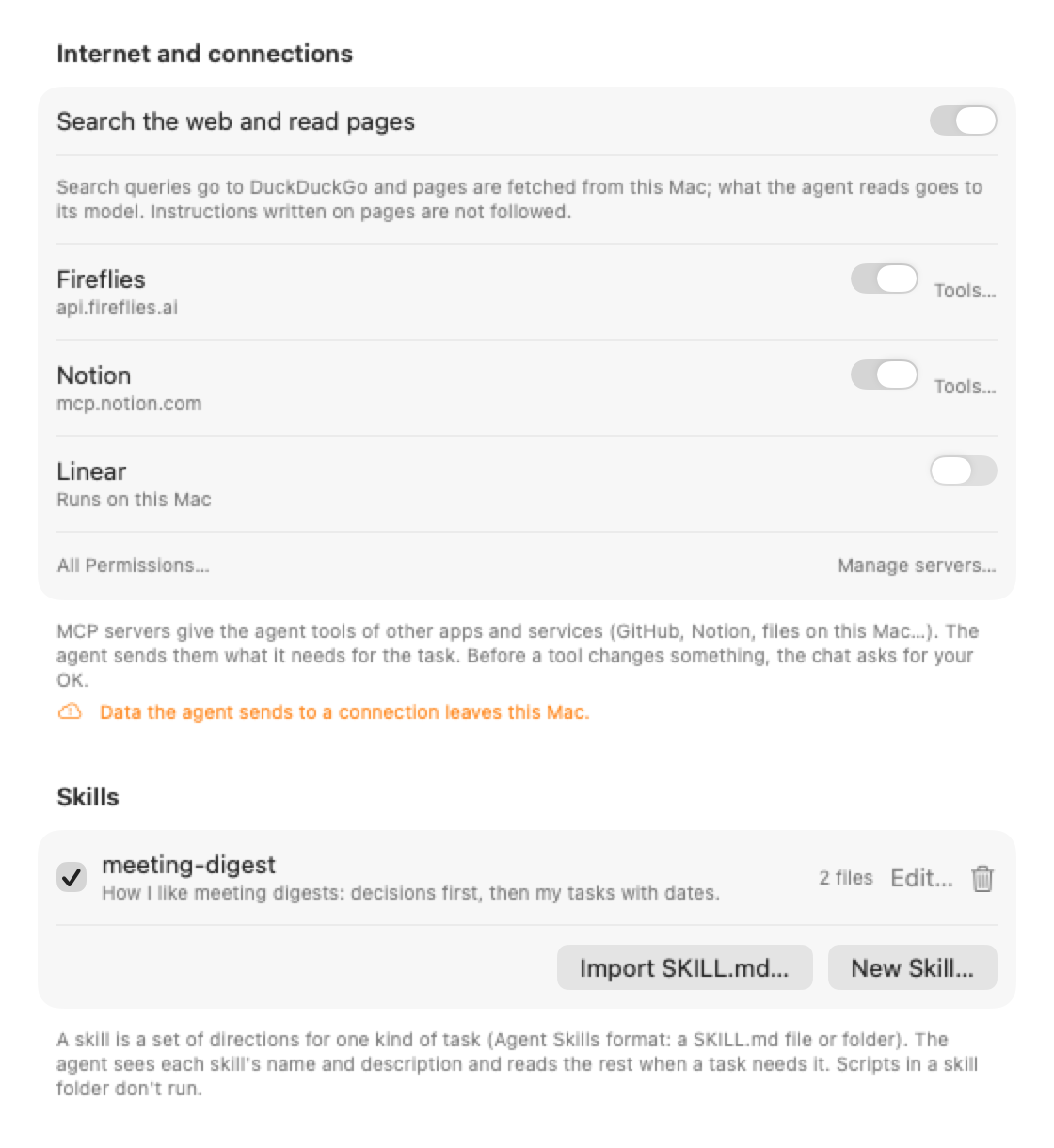
Search and read
The agent searches, opens pages and reads PDFs, to answer you or to do a job.
The engine you choose
Claude models use Anthropic's own web search. Others use DuckDuckGo, or Brave Search with your key.
Your network stays private
Addresses on your local network and on this Mac are off-limits.
Pages can't give orders
Instructions written on a web page are not followed.
You see what leaves. Internet, connections and skills are off until you turn them on, agent by agent. What an agent sends to a connection or a search engine leaves your Mac, and its editor and header say so.
Sign-ins in your Keychain
Access keys and browser sign-ins live in the Keychain, never in plain files.
Your model, your choice
Tool results go to the agent's model. With the on-device model, they stay on your Mac.
No middleman
Peki has no server. Your Mac talks to each service directly.